Receive
Start with a synthetic purchase order or upload a PDF in the local application.
A working local application that shows how document extraction, deterministic checks, human review, approval, and a business-system handoff can fit together.
Independent demonstration · synthetic documents · simulated ERP. The sample extraction shown here is precomputed and disclosed in the application.
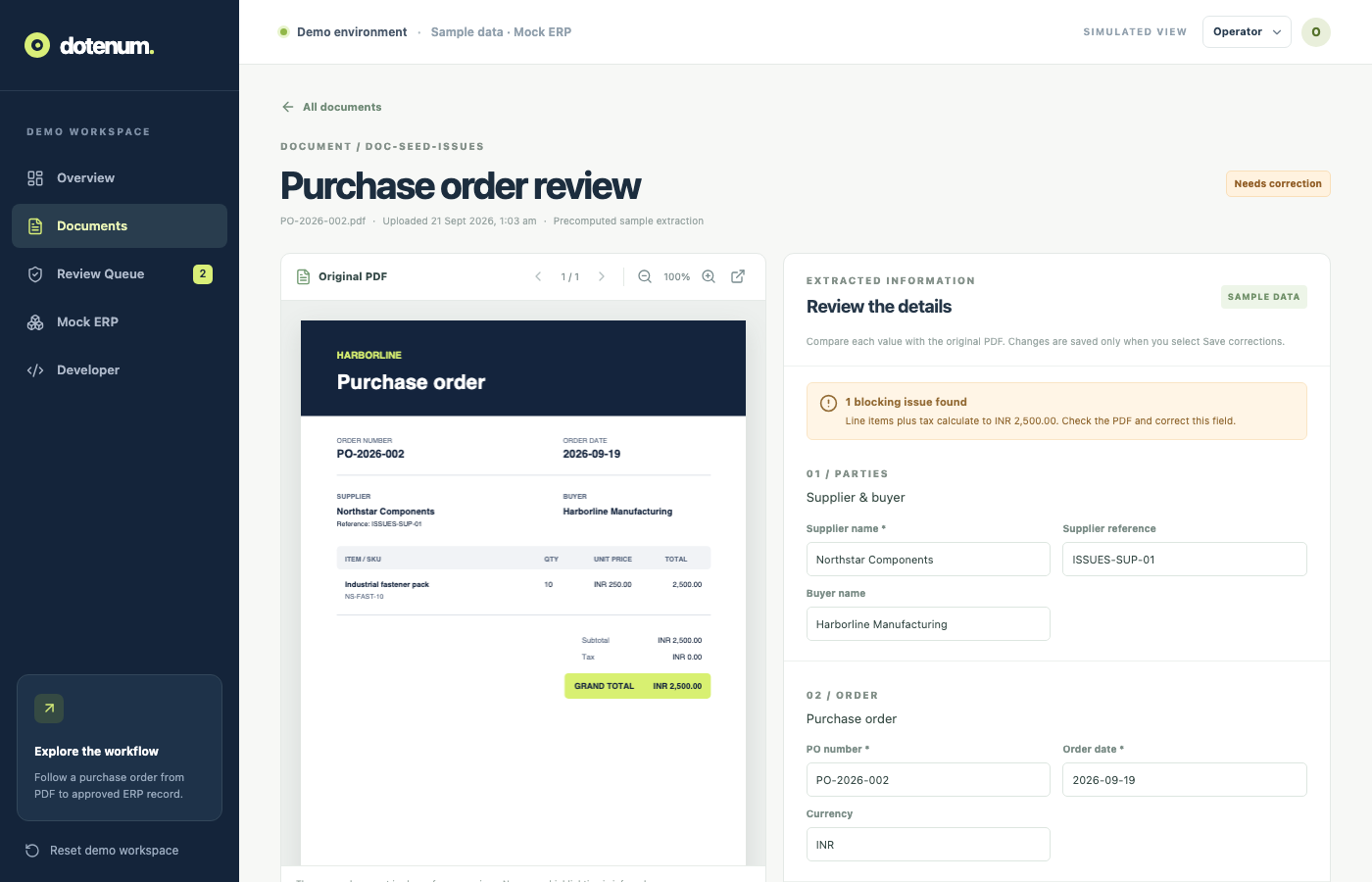
A purchase order can arrive as a PDF with fields that are incomplete, inconsistent, or difficult to transfer into another system. Extracting text is only one part of the job. Someone still needs to check amounts, resolve exceptions, approve the record, and know whether the destination system accepted it.
Demo 01 models that full path. One synthetic sample contains a mismatch between its extracted grand total and its line items. The application holds it for correction before approval and shows the resulting state in a simulated ERP.
Start with a synthetic purchase order or upload a PDF in the local application.
Sample documents load disclosed, precomputed extraction. A configured Azure GPT-4o integration can process uploaded PDFs.
Deterministic rules check required fields, dates, line totals, grand total, and duplicate PO numbers.
An operator can correct fields, save changes, and revalidate before approval.
An approver can approve a clean record or reject it with a reason. The role switch is a UI simulation.
Approval attempts a write to a simulated ERP. Failures can be retried without creating a duplicate record.
A captioned, approximately one-minute recording shows sample intake, correction, approval, and the simulated ERP result.
The recording uses synthetic purchase orders and a simulated ERP.
Download WebM walkthroughFindings identify missing or inconsistent purchase-order data before approval.
Editable fields and revalidation keep a person in control of exceptions.
Unresolved findings and unsaved changes block approval.
A simulated ERP failure preserves the approved data for retry.
The document ID is used to avoid duplicate writes on retry.
The interface shows processing history and the resulting mock ERP record.
These are captures from the local demo using synthetic purchase-order data. Select any image to open it at full size.
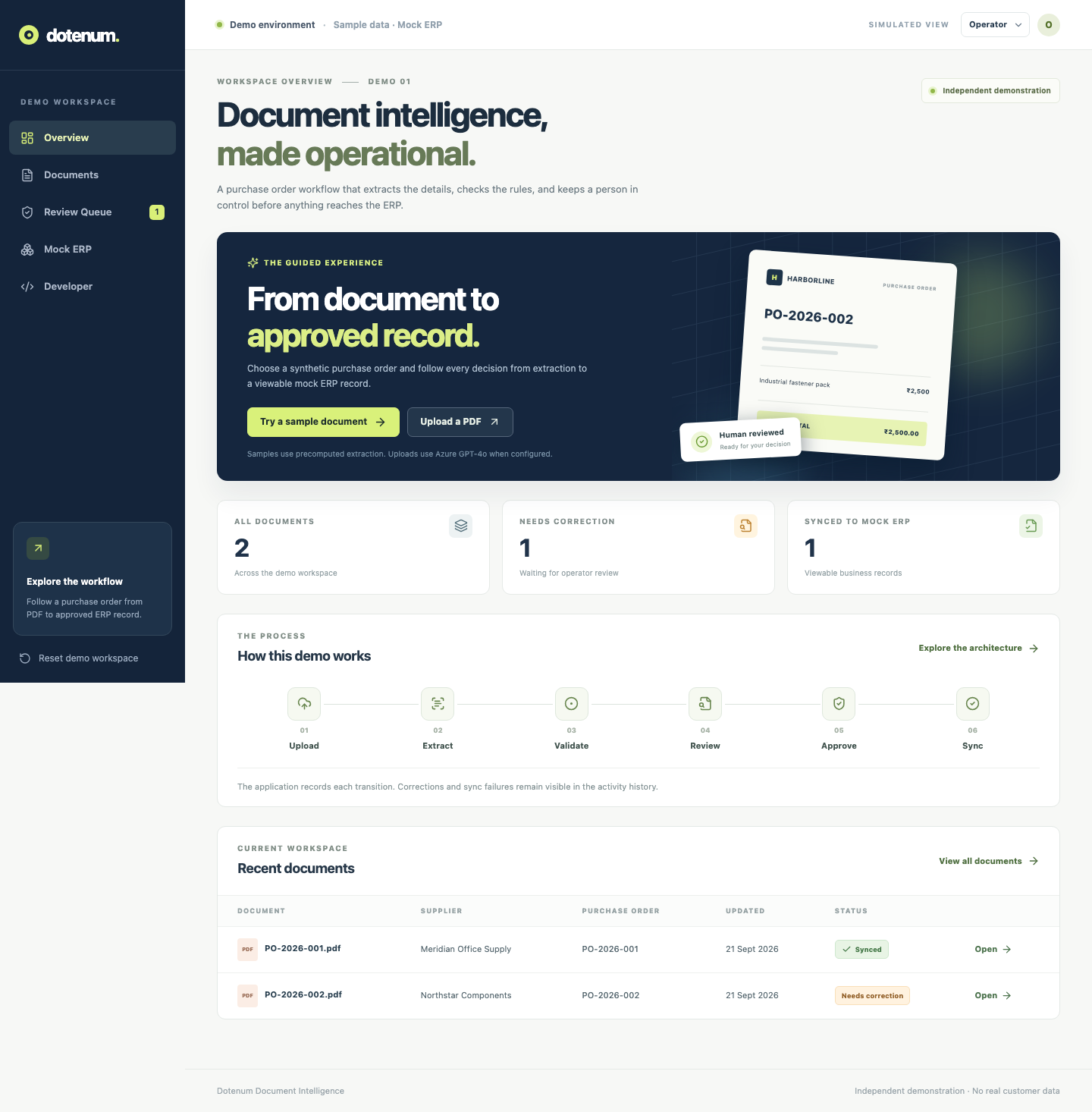
The local application shows incoming documents and their current states.
A sample order with a total mismatch is held for review.
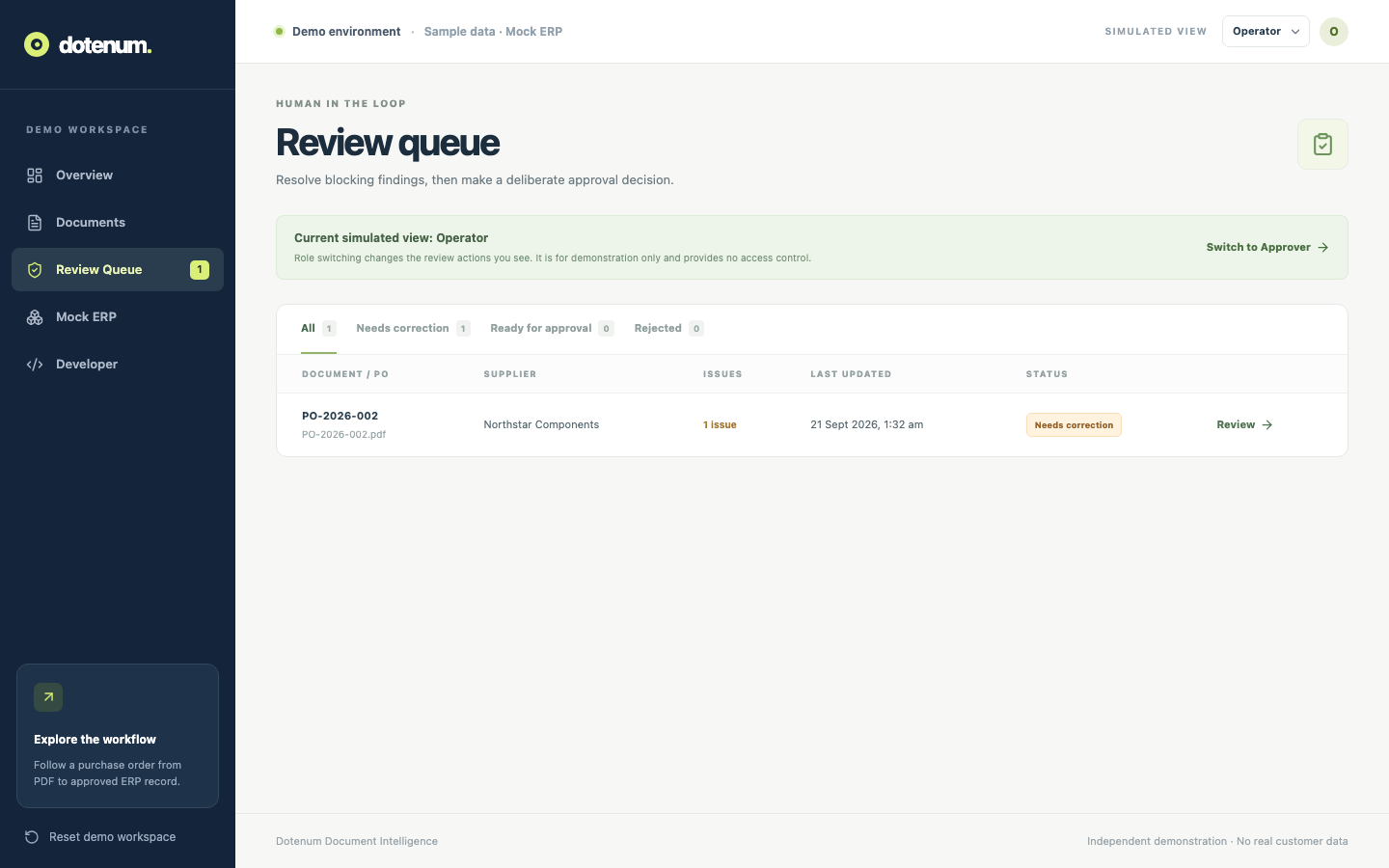
The operator can inspect findings and correct sample data.
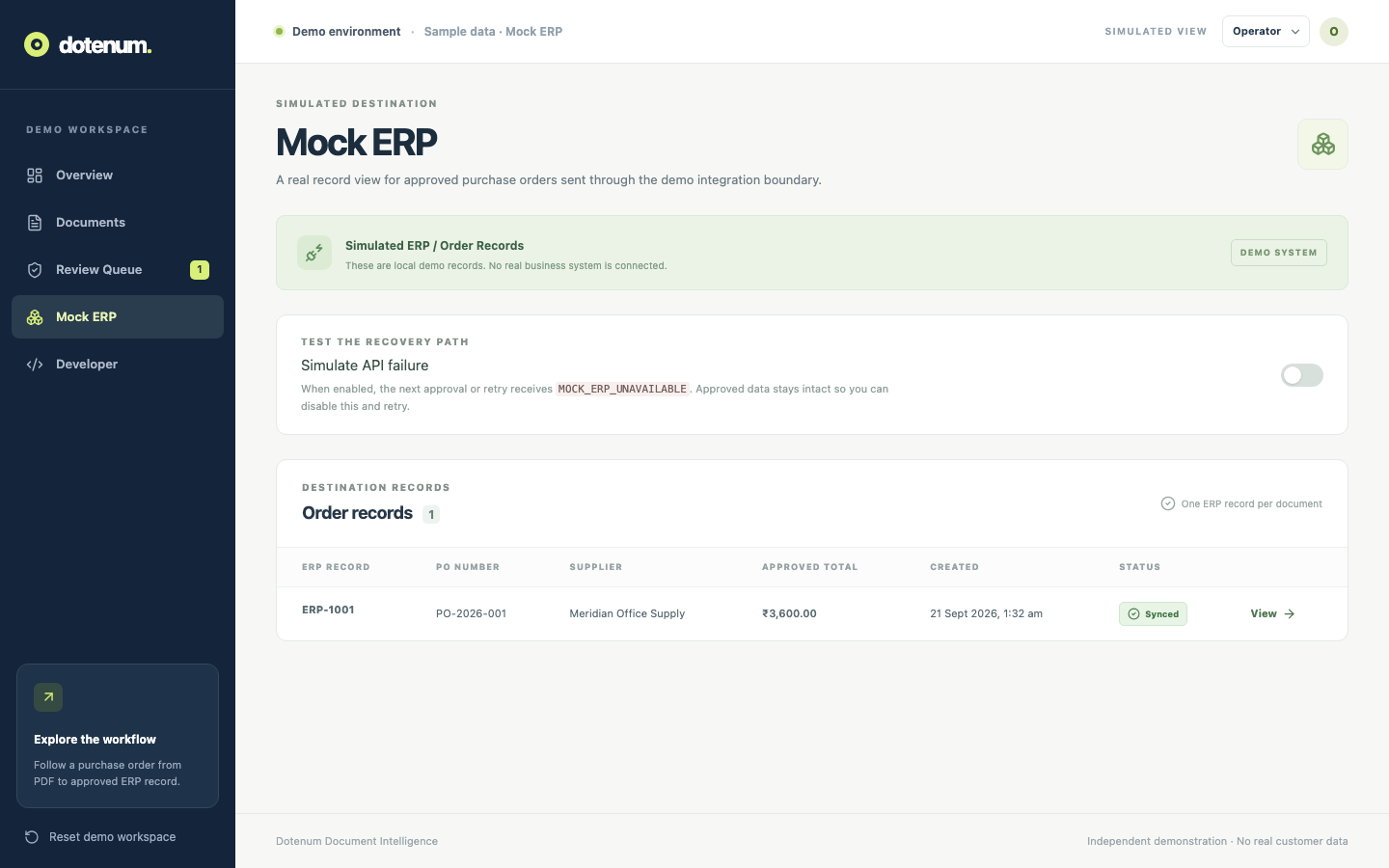
An approved record appears in the demo's mock business system.
The local demo uses a React, TypeScript, Vite, and Tailwind interface; a Python FastAPI backend; SQLite for workflow state; and a simulated ERP adapter. The application also supports PDF uploads through an Azure GPT-4o extraction integration when credentials are configured.
The included synthetic samples use precomputed extraction so the documented review path can run without Azure credentials. Validation, corrections, approval decisions, simulated sync failures, and retry use live API state. The operator/approver switch illustrates roles in the interface; it is not authentication or authorization.
This is an independent demonstration, not a client project or a production ERP integration. The application is currently run locally, so there is no public live-demo link.
The flow joins intake, checks, review, approval, and handoff instead of ending at extraction.
The interface gives operators a queue, editable fields, visible findings, and recovery controls.
The source separates extraction from deterministic rules and the business-system adapter.
Tell us about the documents, the review decisions, and the systems involved. We can discuss what a reliable workflow would need.